Showing Posts From
React dynamic form
-
 Jeetendra Singh
 - 11 Dec, 2020
How to create dynamic fields in React Component
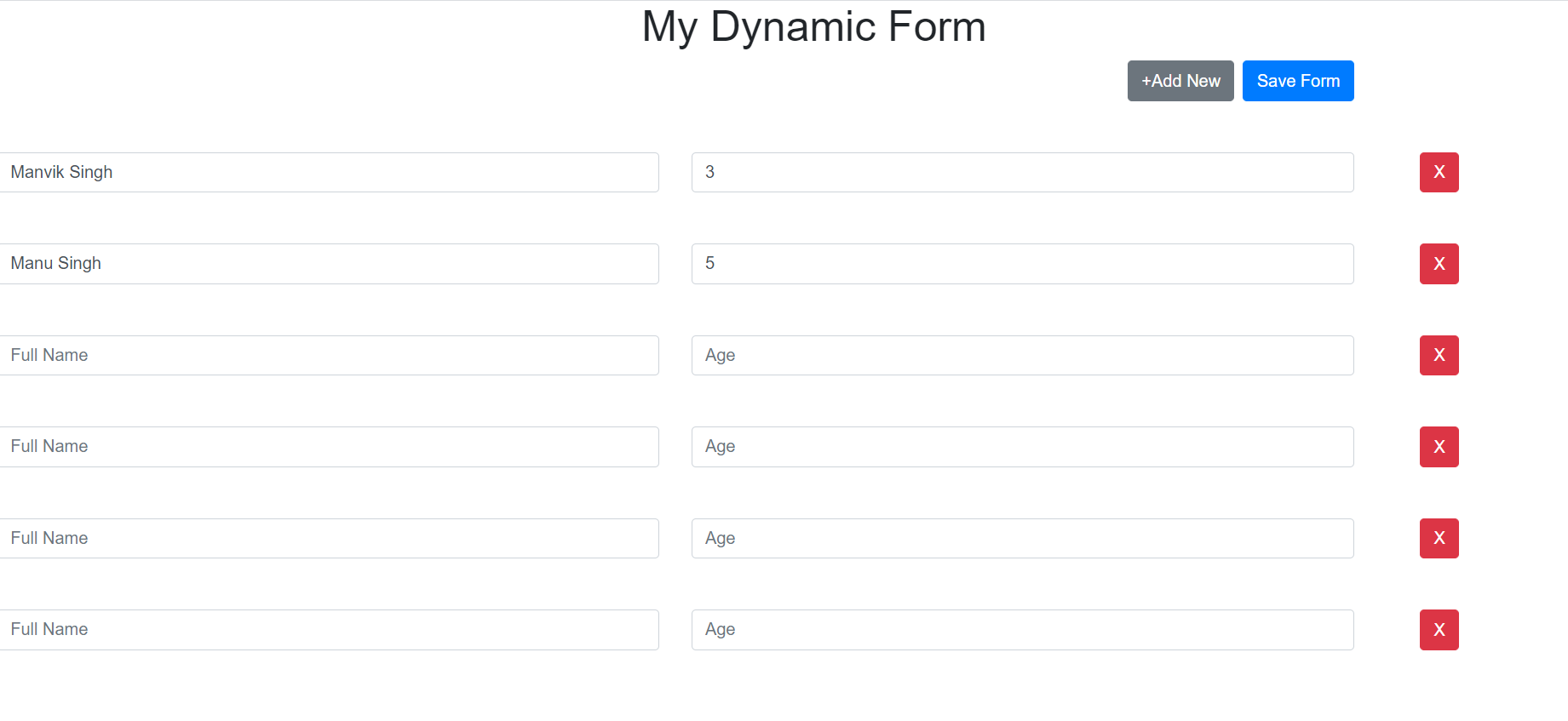
Hey Friends,In this tutorial we’ll know that how we can create dynamic fields in react js. I hope you are aware with the Installation and setup the React application using CRA utility provided by react.I am assuming that you have already setup a react project. So lets get start it. create a file named DynamicForm.jsx and add following basic class syntax in it. import React, { Component } from "react";class DynamicForm extends Component { constructor(props) { super(props); } render() { return(# My Dynamic Form ) } }“ Now add some initial state in constructor. this.state = { form: [ { fullName: "Manvik Singh", age: 3 }, { fullName: "Manu Singh", age: 5 } ] };Loop through the initial data in render method {this.state.form && this.state.form.map((item, index) => ( this.handleChange(e, index)} /> this.handleChange(e, index)} /> this.handleDelete(index)} className="btn btn-danger" > X ))}Noticed we have used handleChange & handleDelete method in above jsx, so lets create those methods as well handleChange = (e, index) => { const items = this.state.form; items[index][e.target.name] = e.target.value; this.setState({ form: items }); }; handleDelete = (index) => { const items = this.state.form; if (items.length > 1) { items.splice(index, 1); this.setState({ form: items }); } else { window.alert("Last row cant be delete!"); } };Now will need Add new row button and save form button, so let them create before the dynamic form fields are rendering +Add New Save FormNow above buttons handlers to handle new row and save the updated/filled form data to api/server. addNewRow = () => { const items = this.state.form; const blankRow = { fullName: "", age: "" }; this.setState({ form: [...items, blankRow] }); }; saveAll = () => { const { form } = this.state; //lets check whats in the form now console.log("Form data :", form); //Now here you may want to call your service or xhr call to send data over the apis //like this fetch("https://www.w3school.info/apis/bla-bla-api", form) .then((res) => res.json()) .then((response) => console.log("my response is ", response)) .catch((err) => console.log("error occured", err)); };Now All code at one shot import React, { Component } from "react";class DynamicForm extends Component { constructor(props) { super(props); this.state = { form: [ { fullName: "Manvik Singh", age: 3 }, { fullName: "Manu Singh", age: 5 } ] }; } handleChange = (e, index) => { const items = this.state.form; items[index][e.target.name] = e.target.value; this.setState({ form: items }); }; handleDelete = (index) => { const items = this.state.form; if (items.length > 1) { items.splice(index, 1); this.setState({ form: items }); } else { window.alert("Last row cant be delete!"); } }; addNewRow = () => { const items = this.state.form; const blankRow = { fullName: "", age: "" }; this.setState({ form: [...items, blankRow] }); }; saveAll = () => { const { form } = this.state; //lets check whats in the form now console.log("Form data :", form); //Now here you may want to call your service or xhr call to send data over the apis //like this fetch("https://www.w3school.info/apis/bla-bla-api", form) .then((res) => res.json()) .then((response) => console.log("my response is ", response)) .catch((err) => console.log("error occured", err)); }; render() { return ( <># My Dynamic Form +Add New Save Form {this.state.form && this.state.form.map((item, index) => ( this.handleChange(e, index)} /> this.handleChange(e, index)} /> this.handleDelete(index)} className="btn btn-danger" > X ))} ); } } export default DynamicForm;Now just Import and Add this component where you want we have called it in App Component like this, putting my App.js code import React from "react"; import DynamicForm from "./DynamicForm"; import "./styles.css";export default function App() { return ( ); }Note : I have used classes from bootstrap css framework, if you haven’t implemented the bootstrap in your project then you may editindex.html from public folder and add following bootstrap css cdn link to look this demo fine. put this in head sectionThis is all I have for this blog, if you have any queries then let me know me via contact us form or do comments below. Also the livedemo for this code is available at https://codesandbox.io/s/dynamic-form-fields-in-react-y6p3e?file=/src/DynamicForm.jsx