Implement Stripe in 3 steps using php
-
 Jeetendra Singh
 - 16 Apr, 2017
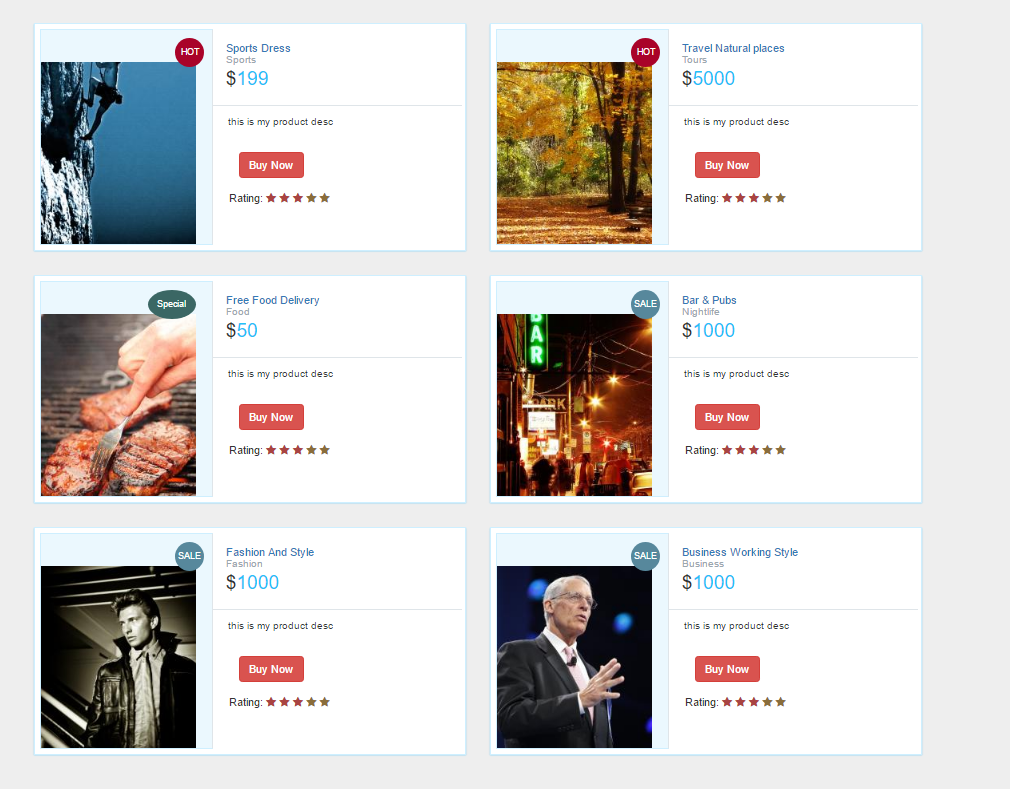
Hi Geeks, This Article is focused on Implement Stripe in 3 steps using php, where you can easily accept payments through stripe by using this code. the stripe checkout.js is used here with server side code also.
Step 1: Create a product list page named index.php with following code:
.prod-info-main .product-image { background-color: #EBF8FE; display: block; min-height: 238px; overflow: hidden; position: relative; border: 1px solid #CEEFFF; padding-top: 40px; }
.prod-info-main .product-deatil { border-bottom: 1px solid #dfe5e9; padding-bottom: 17px; padding-left: 16px; padding-top: 16px; position: relative; background: #fff }
.product-content .product-deatil h5 a { color: #2f383d; font-size: 15px; line-height: 19px; text-decoration: none; padding-left: 0; margin-left: 0 }
.prod-info-main .product-deatil h5 a span { color: #9aa7af; display: block; font-size: 13px }
.prod-info-main .product-deatil span.tag1 { border-radius: 50%; color: #fff; font-size: 15px; height: 50px; padding: 13px 0; position: absolute; right: 10px; text-align: center; top: 10px; width: 50px }
.prod-info-main .product-deatil span.sale { background-color: #21c2f8 }
.prod-info-main .product-deatil span.discount { background-color: #71e134 }
.prod-info-main .product-deatil span.hot { background-color: #fa9442 }
.prod-info-main .description { font-size: 12.5px; line-height: 20px; padding: 10px 14px 16px 19px; background: #fff }
.prod-info-main .product-info { padding: 11px 19px 10px 20px }
.prod-info-main .product-info a.add-to-cart { color: #2f383d; font-size: 13px; padding-left: 16px }
.prod-info-main name.a { padding: 5px 10px; margin-left: 16px }
.product-info.smart-form .btn { padding: 6px 12px; margin-left: 12px; margin-top: -10px }
.load-more-btn { background-color: #21c2f8; border-bottom: 2px solid #037ca5; border-radius: 2px; border-top: 2px solid #0cf; margin-top: 20px; padding: 9px 0; width: 100% }
.product-block .product-deatil p.price-container span, .prod-info-main .product-deatil p.price-container span, .shipping table tbody tr td p.price-container span, .shopping-items table tbody tr td p.price-container span { color: #21c2f8; font-family: Lato, sans-serif; font-size: 24px; line-height: 20px }
.product-info.smart-form .rating label { margin-top:15px;
}
.prod-wrap .product-image span.tag2 { position: absolute; top: 10px; right: 10px; width: 36px; height: 36px; border-radius: 50%; padding: 10px 0; color: #fff; font-size: 11px; text-align: center }
.prod-wrap .product-image span.tag3 { position: absolute; top: 10px; right: 20px; width: 60px; height: 36px; border-radius: 50%; padding: 10px 0; color: #fff; font-size: 11px; text-align: center }
.prod-wrap .product-image span.sale { background-color: #57889c; }
.prod-wrap .product-image span.hot { background-color: #a90329; }
.prod-wrap .product-image span.special { background-color: #3B6764; } .shop-btn { position: relative }
.shop-btn>span { background: #a90329; display: inline-block; font-size: 10px; box-shadow: inset 1px 1px 0 rgba(0, 0, 0, .1), inset 0 -1px 0 rgba(0, 0, 0, .07); font-weight: 700; border-radius: 50%; padding: 2px 4px 3px!important; text-align: center; line-height: normal; width: 19px; top: -7px; left: -7px }
.product-deatil hr { padding: 0 0 5px!important }
.product-deatil .glyphicon { color: #3276b1 }
.product-deatil .product-image { border-right: 0px solid #fff !important }
.product-deatil .name { margin-top: 0; margin-bottom: 0 }
.product-deatil .name small { display: block }
.product-deatil .name a { margin-left: 0 }
.product-deatil .price-container { font-size: 24px; margin: 0; font-weight: 300;
}
.product-deatil .price-container small { font-size: 12px;
}
.product-deatil .fa-2x { font-size: 16px!important }
.product-deatil .fa-2x>h5 { font-size: 12px; margin: 0 }
.product-deatil .fa-2x+a, .product-deatil .fa-2x+a+a { font-size: 13px }
.product-deatil .certified { margin-top: 10px }
.product-deatil .certified ul { padding-left: 0 }
.product-deatil .certified ul li:not(first-child) { margin-left: -3px }
.product-deatil .certified ul li { display: inline-block; background-color: #f9f9f9; padding: 13px 19px }
.product-deatil .certified ul li:first-child { border-right: none }
.product-deatil .certified ul li a { text-align: left; font-size: 12px; color: #6d7a83; line-height: 16px; text-decoration: none }
.product-deatil .certified ul li a span { display: block; color: #21c2f8; font-size: 13px; font-weight: 700; text-align: center }
.product-deatil .message-text { width: calc(100% - 70px) }
@media only screen and (min-width:1024px) { .prod-info-main div[class*=col-md-4] { padding-right: 0 } .prod-info-main div[class*=col-md-8] { padding: 0 13px 0 0 } .prod-wrap div[class*=col-md-5] { padding-right: 0 } .prod-wrap div[class*=col-md-7] { padding: 0 13px 0 0 } .prod-info-main .product-image { border-right: 1px solid #dfe5e9 } .prod-info-main .product-info { position: relative } }
Sports Dress
Sports
					</h5>
					<p class="price-container">
						$<span class="price" >199</span>
					</p>
					<span class="tag1"></span>
			</div>
			<div class="description">
				<p class="desc">this is my product desc </p>
			</div>
			<div class="product-info smart-form">
				<div class="row">
					<div class="col-md-12">
						<a href="javascript:void(0);" class="btn btn-danger stripe_pay">Buy Now</a>

					</div>
					<div class="col-md-12">
						<div class="rating">Rating:
							<label for="stars-rating-5"><i class="fa fa-star text-danger"></i></label>
							<label for="stars-rating-4"><i class="fa fa-star text-danger"></i></label>
							<label for="stars-rating-3"><i class="fa fa-star text-danger"></i></label>
							<label for="stars-rating-2"><i class="fa fa-star text-warning"></i></label>
							<label for="stars-rating-1"><i class="fa fa-star text-warning"></i></label>
						</div>
					</div>
				</div>
			</div>
		</div>
	</div>
</div>
<!-- end product -->
</h5>
<p class="price-container">
$<span class="price" >199</span>
</p>
<span class="tag1"></span>
</div>
<div class="description">
<p class="desc">this is my product desc </p>
</div>
<div class="product-info smart-form">
<div class="row">
<div class="col-md-12">
<a href="javascript:void(0);" class="btn btn-danger stripe_pay">Buy Now</a>
					</div>
					<div class="col-md-12">
						<div class="rating">Rating:
							<label for="stars-rating-5"><i class="fa fa-star text-danger"></i></label>
							<label for="stars-rating-4"><i class="fa fa-star text-danger"></i></label>
							<label for="stars-rating-3"><i class="fa fa-star text-danger"></i></label>
							<label for="stars-rating-2"><i class="fa fa-star text-warning"></i></label>
							<label for="stars-rating-1"><i class="fa fa-star text-warning"></i></label>
						</div>
					</div>
				</div>
			</div>
		</div>
	</div>
</div>
<!-- end product -->this is my product desc
					</div>
					<div class="col-md-12">
						<div class="rating">Rating:
							<label for="stars-rating-5"><i class="fa fa-star text-danger"></i></label>
							<label for="stars-rating-4"><i class="fa fa-star text-danger"></i></label>
							<label for="stars-rating-3"><i class="fa fa-star text-danger"></i></label>
							<label for="stars-rating-2"><i class="fa fa-star text-warning"></i></label>
							<label for="stars-rating-1"><i class="fa fa-star text-warning"></i></label>
						</div>
					</div>
				</div>
			</div>
		</div>
	</div>
</div>
<!-- end product -->this is my product desc
					</div>
					<div class="col-md-12">
						<div class="rating">Rating:
							<label for="stars-rating-5"><i class="fa fa-star text-danger"></i></label>
							<label for="stars-rating-4"><i class="fa fa-star text-danger"></i></label>
							<label for="stars-rating-3"><i class="fa fa-star text-danger"></i></label>
							<label for="stars-rating-2"><i class="fa fa-star text-warning"></i></label>
							<label for="stars-rating-1"><i class="fa fa-star text-warning"></i></label>
						</div>
					</div>
				</div>
			</div>
		</div>
	</div>
</div>
<!-- end product -->Bar & Pubs Nightlife
$1000
this is my product desc
					</div>
					<div class="col-md-12">
						<div class="rating">Rating:
							<label for="stars-rating-5"><i class="fa fa-star text-danger"></i></label>
							<label for="stars-rating-4"><i class="fa fa-star text-danger"></i></label>
							<label for="stars-rating-3"><i class="fa fa-star text-danger"></i></label>
							<label for="stars-rating-2"><i class="fa fa-star text-warning"></i></label>
							<label for="stars-rating-1"><i class="fa fa-star text-warning"></i></label>
						</div>
					</div>
				</div>
			</div>
		</div>
	</div>
</div>
<!-- end product -->
this is my product desc
</div>
<div class="col-md-12">
<div class="rating">Rating:
<label for="stars-rating-5"><i class="fa fa-star text-danger"></i></label>
<label for="stars-rating-4"><i class="fa fa-star text-danger"></i></label>
<label for="stars-rating-3"><i class="fa fa-star text-danger"></i></label>
<label for="stars-rating-2"><i class="fa fa-star text-warning"></i></label>
<label for="stars-rating-1"><i class="fa fa-star text-warning"></i></label>
</div>
</div>
</div>
</div>
</div>
</div>
</div>
<!-- end product -->
this is my product desc
					</div>
					<div class="col-md-12">
						<div class="rating">Rating:
							<label for="stars-rating-5"><i class="fa fa-star text-danger"></i></label>
							<label for="stars-rating-4"><i class="fa fa-star text-danger"></i></label>
							<label for="stars-rating-3"><i class="fa fa-star text-danger"></i></label>
							<label for="stars-rating-2"><i class="fa fa-star text-warning"></i></label>
							<label for="stars-rating-1"><i class="fa fa-star text-warning"></i></label>
						</div>
					</div>
				</div>
			</div>
		</div>
	</div>
</div>
<form action="pay.php" id="pay_form" method="post">
	<input type="hidden" name="price" />
	<input type="hidden" name="title" />
	<input type="hidden" name="category" />
	<input type="hidden" name="image" />
	<input type="hidden" name="desc" />
	<input type="hidden" name="_pay_" value="1" />
</form>
<!-- end product -->
<scriptsrc=“https://code.jquery.com/jquery-1.12.4.min.js” integrity=“sha256-ZosEbRLbNQzLpnKIkEdrPv7lOy9C27hHQ+Xp8a4MxAQ=” crossorigin=“anonymous”>
	$(".stripe_pay").click(function(){
    var obj_prd=$(this).parents('.prod-info-main');

	var price=obj_prd.find('.price').text();
	var title=obj_prd.find('.title').text();
	var desc=obj_prd.find('.desc').text();
	var category=obj_prd.find('.category').text();
	var img=obj_prd.find('.product-image img').attr('src');
 console.log(img)


	 $("input[name='price']").val(price);
	 $("input[name='title']").val(title);
	 $("input[name='desc']").val(desc);
	 $("input[name='category']").val(category);
	 $("input[name='image']").val(img);

      $("#pay_form").submit();

	});

 });

 </script>
Output Screen for this will look like this:
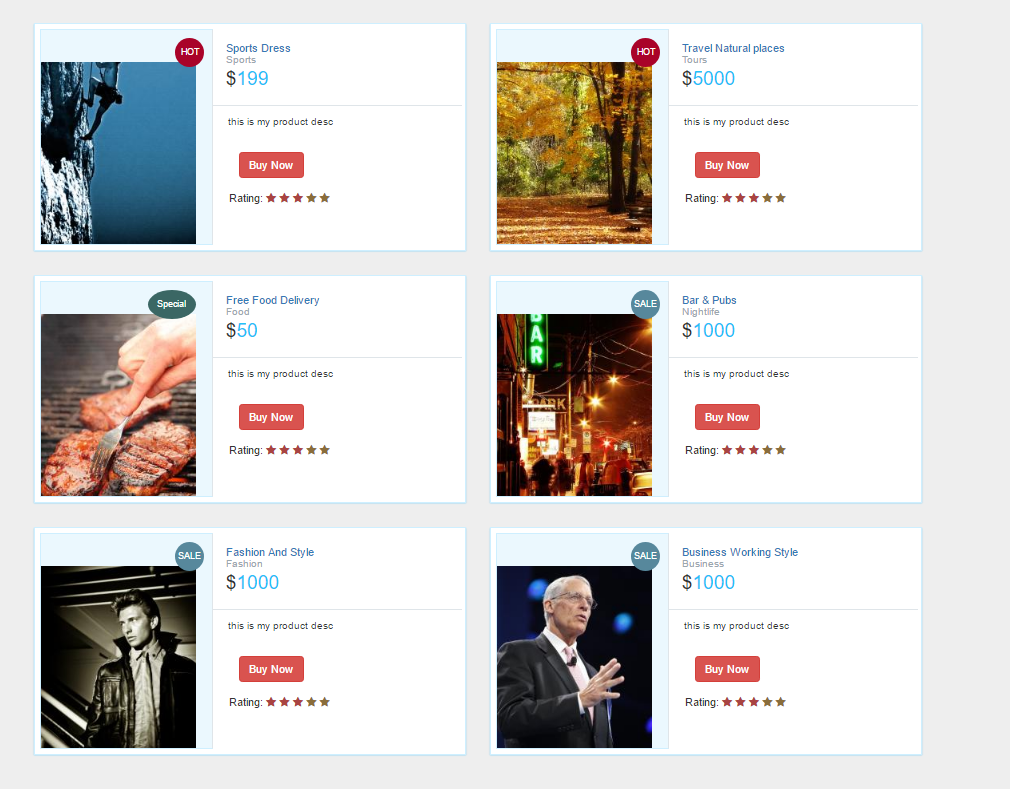
Note: you can get products from database also,but here for demonstration i am showing these static.
Step 2: Create a Checkout Page with name pay.php, here you need to replace the stripe public key mention in the comment also.
</head>
<body>
Product title is :
Category is :
Description is :
Amount is :$
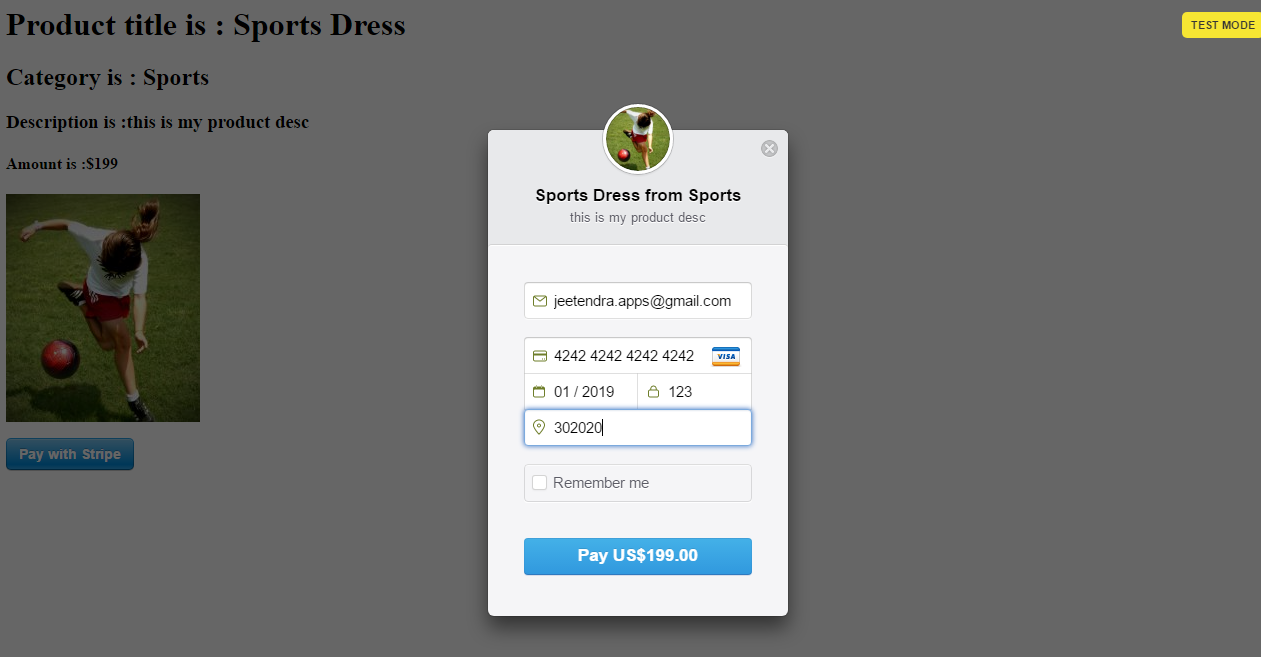
Step 3: Create a server side script for charge customer named as charge.php with following code, here you need to replace the Stripe private key mention in comment also:
if(isset($_POST[‘stripeToken’]) && $_POST[‘stripeToken’]!=""){
// Set secret key\Stripe\Stripe::setApiKey(“sk_test_g0654565464569”);//replace your secreet key of stripe here
// Get the credit card details submitted by the form $token = $_POST[‘stripeToken’];
// Create the charge on Stripe’s servers - this will charge the user’s card try { $customer = \Stripe\Customer::create(array( ‘email’ => $_POST[‘stripeEmail’], ‘source’ => $token ));
$charge = \Stripe\Charge::create(array(
  "amount" => $_POST['stripePrice'],
  "currency" => "usd",
  "customer" => $customer->id
  ));

echo "<h1 style='color:green'>PAYMENT SUCCESSFULLY DONE</h1>";
} catch(\Stripe\Error\Card $e) { // The card has been declined echo “
PAYMENT FAILED!
”; }} ?> Output Screen:
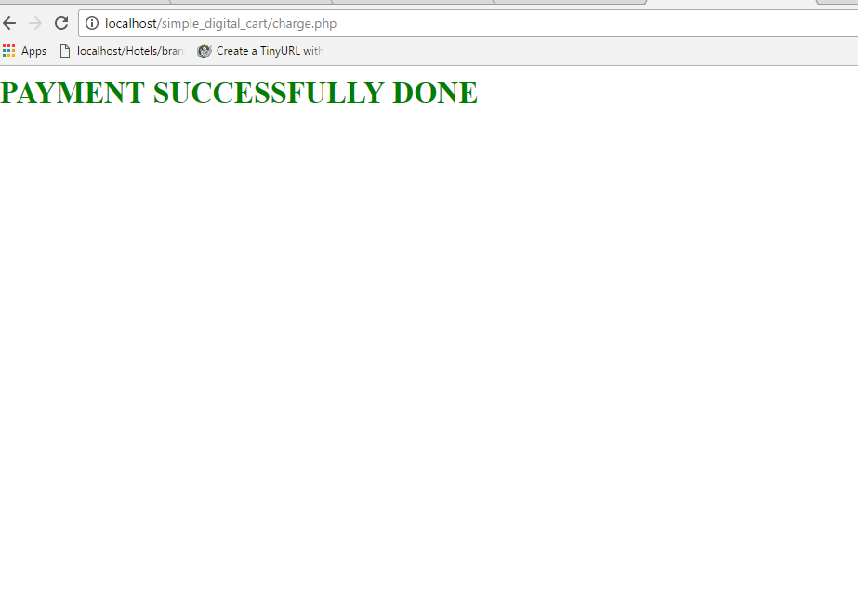
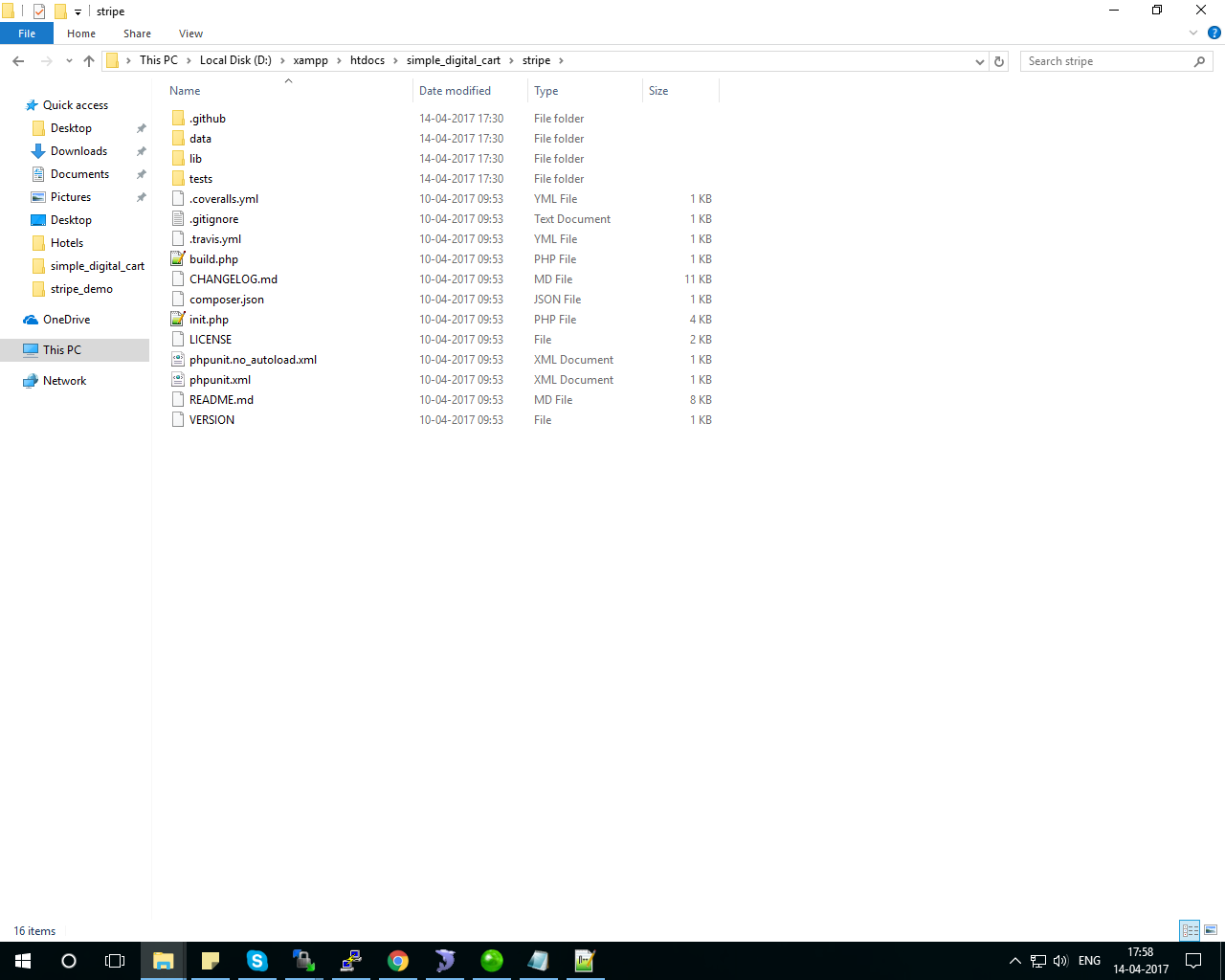
Note: there should be a stripe library in the root folder you can download it from here: https://github.com/stripe/stripe-php/archive/v4.7.0.zip and extract it with name stripe as you can see in following screenshot
Still you have any problem in integrating you can directly call me and i will send you the complete working code,
you can comment here or send me a email on [email protected]
Thanks