Showing Posts From
Codeigniter
-
 Jeetendra Singh
 - 21 Oct, 2016
Codeigniter best tricks and hacks
Hi Friends, Today I am sharing you some best tricks i have used in couple of projects, may be these things are common but we need these in all of our projects and we can find it on google but by different different authors, i am providing all the codeigniter tips tricks and hacks in this single article. if i missed any other trick then please let me know through comments, I will update it to my article. Now please find the Codeigniter best tricks and hacks 1: Remove index.php from url codeigniter Solution : we need to update the .htaccess with following code: RewriteEngine on #RewriteBase / RewriteRule ^(application|system|.svn) index.php/$1 [L] RewriteCond %{REQUEST_FILENAME} !-f RewriteCond %{REQUEST_FILENAME} !-d RewriteRule ^(.)$ index.php?/$1 [QSA,L] #RewriteRule ^(.)$ index.php?/$1 [L] 2: Call Controller function or varriable from view Solution : We need to pass the controller self object to its view to call the function or varriable of that controller . please follow instructions: /* controller code here .... .... ..my function 1 ..my function 2 { //returning any calculation } */ //Now in function 1 we are loading view 1 //and we want to call the function 2 after loaded the //view 1 //in controller file assign a self object to view $this->data['items']=$data_from_database; $this->data['controller']=$this; $this->load->view('view1',$this->data); //now in view1.php you can call the function 2 directly as $get_rates=$controller->function2(); //user the rate in running view 3: Db prefix in core queries Solution : in database.php we need to pass swap_pre in configuration index in db config array. please see example: In database.php there is a config array start with following: $db['default'] = array( 'dsn' => '', 'hostname' => 'localhost', ..... ..... So in this list there is a index named db_prefix this is general usage in CI auto qyuiry builder class but if we are writing the core queries then we need to pass any string like: 'swap_pre' => '{pre}', now we can use the swap_pre value appending before table name in our query as following: $result = $this->db->query("SELECT * FROM {pre}records WHERE record_id ='34' and category NOT IN (78,65,98) GROUP BY create_date"); return $result ->result_array(); 4: Call model and its function from library and helpers Solution : we can load any model from helper or library by instantiating the ci global object using call by refrence as following: //create a object in helper or library in codeigniter $this->CI = &get_instance(); //now if we want to load any model then $this->CI->load->model('Home_model'); //or load library using $this->CI->load->library('Pdf_custom_library'); 5: Get rendered html of your view in a Controller’s varriable Solution : Use third parameter as true in this load view Eg: $mydata_to_view=array(“bla”=>”bla bla value”); $myEmail_html=$this->load->view(“my_email_template”, $mydata_to_view,true); //Now this statement will not print output instead of it will return the html string.
- Jeetendra Singh
- 10 Sep, 2016
check value already exists in codeigniter
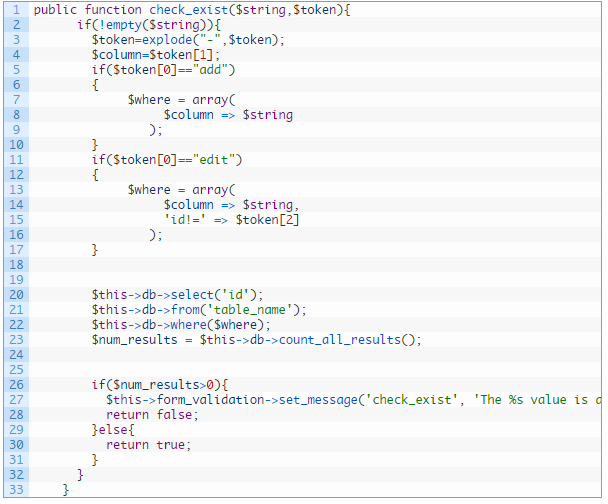
Callback function of codeigniter which checks whether the value already exists in particular column of table or not. This function work on add and edit both cases,it return false if value exists and return true if value not exists. following is the function that you need to put in your controller file: public function check_exist($string,$token){ if(!empty($string)){ $token=explode("-",$token); $column=$token[1]; if($token[0]=="add") { $where = array( $column => $string ); } if($token[0]=="edit") { $where = array( $column => $string, 'id!=' => $token[2] ); } $this->db->select('id'); $this->db->from('table_name'); $this->db->where($where); $num_results = $this->db->count_all_results(); if($num_results>0){ $this->form_validation->set_message('check_exist', 'The %s value is already exists.'); return false; }else{ return true; } } }Note: change the table name in function and in edit case you can change the primary key!= with your table’s key name. Now time to using this callback function for adding and editing forms.We need to pass the callback function in validation rules. For the time of adding you can pass the rule in your add action like as: array( 'field' => 'cat_title', 'label' => 'Category Title', 'rules' => 'trim|required|callback_check_exist[add-cat_name]' ),or $config = array ( array( 'field' => 'cat_title', 'label' => 'Category Title', 'rules' => 'trim|required|callback_check_exist[add-cat_name]' ), array( 'field' => 'slug', 'label' => 'Category Slug', 'rules' => 'trim|required|callback_check_exist[add-slug]' ), array( 'field' => 'description', 'label' => 'Category Description', 'rules' => 'trim|required' ), array( 'field' => 'parent_id', 'label' => 'Parent Category', 'rules' => 'trim' ), ); $this->form_validation->set_rules($config);and in your edit action you can use the rule as following: array( 'field' => 'cat_title', 'label' => 'Category Title', 'rules' => 'trim|required|callback_check_exist[edit-cat_name-'.$cat_id.']' ), OR $config = array ( array( 'field' => 'cat_title', 'label' => 'Category Title', 'rules' => 'trim|required|callback_check_exist[edit-cat_name-'.$cat_id.']' ), array( 'field' => 'slug', 'label' => 'Category Slug', 'rules' => 'trim|required|callback_check_exist[edit-slug-'.$cat_id.']' ), array( 'field' => 'description', 'label' => 'Category Description', 'rules' => 'trim|required' ), array( 'field' => 'parent_id', 'label' => 'Parent Category', 'rules' => 'trim' ), ); $this->form_validation->set_rules($config); Thanks for reading full article , Now use it in your project and if you face any trouble then comment here.
- Jeetendra Singh
- 25 Mar, 2016
Custom form validation in Codeigniter
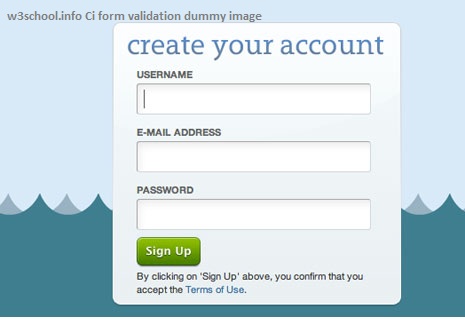
Hi Geeks, Today i am sharing you the Custom form validation example in codeigniter. Suppose we have a custom requirement to validate the data with our own custom rules like email already exist in database, So for this type on need can be resolve only with custom callback functions .these are the following steps to create a custom validation for any form. Step 1: Form Layout form.php in views 'registration_form', 'id' => 'registration_form', 'class' => 'form-horizontal')); ?> <div class="item form-group"> <label class="control-label col-md-3 col-sm-3 col-xs-12">First Name</label> <div class="col-md-6 col-sm-6 col-xs-12"> <input type="text" id="f_name" name="f_name" value="<?php set_value('f_name'); ?>" class="form-control" /> <span class="required-server"><?php echo form_error('f_name'); ?> </span> </div> </div> Last Name " class="form-control" /> Email " class="form-control" /> Password " class="form-control" />Now , We have 4 fields in this form – first name,last name, email and password for validate these fields codeigniter already provided rules in form_validation library: Some of the rules are following listed: valid_email,required,valid_email,valid_url,min_length[5]|max_length[12] etc. But Now we need to detect that email already registered in Database ,So we need to create a callback function for validating the email already check in database. Note:Codeigniter itself providing rule for ‘value already exists in database’ but here our purpose is to demonstrate the custom form validation in codeigniter thats why we are assuming that this need a custom form validation. Step 2. Create a callback to match the field’s value in database public function check_email_exists($email){ $where_array = array( user_email' => $email ); $this->db->where($where_array); $switch = $this->db->count_all_results("tbl_user"); if ($switch != NULL){ $this->form_validation->set_message('check_email_exists', 'The %s field value already exist, please try another.'); return false; }else{ return true; } }Step 3. Load Form validation library in controller’s Action or Constructor method as following: $this->load->library('form_validation'); Step 4. Now pass the array of validation rules for the form in add method of user controller as following: public function add() { $this->load->library('form_validation'); $config = array( array( 'field' => 'f_nme', 'label' => 'First Name', 'rules' => 'trim|required|xss_clean' ), array( 'field' => 'l_name', 'label' => 'Last Name', 'rules' => 'trim|required|xss_clean' ), array( 'field' => 'user_email', 'label' => 'Email Address', 'rules' => 'trim|required|xss_clean|callback_check_email_exists' //here we have added the callback which we have created by appending callback_ to its method name ), array( 'field' => 'user_password', 'label' => 'Password', 'rules' => 'trim|required|xss_clean' ) ); $this->form_validation->set_rules($config); //pass the rules array here if ($this->form_validation->run() == FALSE) { //by default initial load condition $this->load->view('form'); } else{ //controll comes here if form submitted successfully //Now add or update the data // $save_data = array( 'f_name' =>$this->input->post('f_name'), 'l_name' => $this->input->post('l_name'), 'user_email=> $this->input->post('user_email'), 'user_password' => $this->input->post('user_password') ); $this->db->insert('tbl_user',$save_data);//add data to tabke user }} ?> Please comment here if you have any query regarding to this form validation snippet or not cleared anything.

- Jeetendra Singh
- 08 Feb, 2016
CONVERT HTML TO PDF IN CODEIGNITER Using MPDF
Hi Geeks, Today I am Sharing you the code for making pdf or download pdf files in codeigniter. In this Code snippet we have used the MPDF Kit for generating pdf of html views or dynamic templates. So Following are the steps to create/convert HTML to PDF In Codeigniter using MPDF Prerequisites :- GD LIBRARY SHOULD BE ACTIVE ON YOUR WEB SERVER Step 1: Download the Mpdf Class and methods from here or https://www.mediafire.com/?9qmqaw2yqlo5caa Now extract the zip file and put the mpdf folder to application >> third_party folder (this folder Exists in Application folder in codeigniter app ) Step 2. Now make a ci library to call/communicate the mpdf methods and classes from your ci controllers Now go to libraries folder in application folder and create a file named : M_pdf.php having following code snippet. load_library, and pass the data whatever you required in your view or get the data from model and just pass to your pdf view and use/render that data in your view just like a normal view and controllers.for sample , We have created a method named save_download having following codepublic function save_download() { //load mPDF library $this->load->library('m_pdf'); //load mPDF library //now pass the data// $this->data['title']="MY PDF TITLE 1."; $this->data['description']=""; $this->data['description']=$this->official_copies; //now pass the data // $html=$this->load->view('pdf_output',$this->data, true); //load the pdf_output.php by passing our data and get all data in $html varriable. //this the the PDF filename that user will get to download $pdfFilePath ="mypdfName-".time()."-download.pdf"; //actually, you can pass mPDF parameter on this load() function $pdf = $this->m_pdf->load(); //generate the PDF! $pdf->WriteHTML($html,2); //offer it to user via browser download! (The PDF won't be saved on your server HDD) $pdf->Output($pdfFilePath, "D"); }By using this code you will able to make a functionality to convert html to pdf in codeigniter: If you face any struggle in this please Comment below – Thanks & Cheers 🙂
- Jeetendra Singh
- 09 Dec, 2015
complete login system in codeigniter php
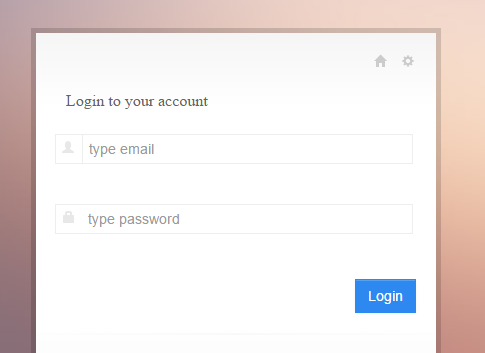
Hi Geeks, I am showing you “complete login system in codeigniter php”. In this example i’ll show you a simple login example with srored procedure in codeigniter framework. Step 1. Install Codeigniter and configure database.php in application/config folder Step2. create a table in your databse by following sql statement --create table staement-- CREATE TABLE IF NOT EXISTS webadmin ( id int(11) NOT NULL AUTO_INCREMENT, name varchar(255) NOT NULL, email varchar(255) NOT NULL, password varchar(255) NOT NULL, website varchar(255) NOT NULL, is_active int(11) NOT NULL DEFAULT '0', is_delete int(11) NOT NULL DEFAULT '0', added_date datetime NOT NULL, modified_date timestamp NOT NULL DEFAULT '0000-00-00 00:00:00' ON UPDATE CURRENT_TIMESTAMP, address varchar(255) NOT NULL, admin_ip varchar(255) NOT NULL, PRIMARY KEY (id) ) ENGINE=InnoDB DEFAULT CHARSET=latin1 AUTO_INCREMENT=17 ; -- -- Dumping data for table webadmin INSERT INTO webadmin (id, name, email, password, website, is_active, is_delete, added_date, modified_date, address, admin_ip) VALUES (1, 'Jeetendra', '[email protected]', 'e10adc3949ba59abbe56e057f20f883e', 'https://www.w3school.info', 1, 0, '2015-11-18 08:24:49', '2015-11-18 11:58:01', 'JAIPUR', '192.256.1.1'); Note : By default in sql dump we have following login details set Login Credentials: email : [email protected] password:123456 //in sql dump file password saved in md5 encryted. Step 3.Now Create a Procedure named LOGIN_AUTH by executing following sql statement in phpmyadmin by select your db and in sql execute area. CREATE PROCEDURE LOGIN_AUTH(IN _email VARCHAR(255) CHARSET utf8, IN _password VARCHAR(255) CHARSET utf8) NOT DETERMINISTIC NO SQL SQL SECURITY DEFINER SELECT * FROM webadmin WHERE (is_active='1' and is_delete='0') and ( email= _email and password = _password ) In this satement we have created a stored procedure which accepts 2 parameters varchar email and password, and in procedure body there is a select match sql statement that verify that user is having details or exists with these details. Step 4. Create a Model named “Common_model.php” in your model folder by putting following code. db->reconnect(); $sql = "CALL `".$proc_name."`"; $indexes=array(); foreach($data as $c) { $indexes[]="?"; } if(count($indexes)>0) $sql.= "(".implode(",",$indexes).")"; else $sql.= "()"; $result = $this->db->query($sql,$data); if($only_exec==0) $ret = $result->result_array(); else $ret = $result; $this->db->close(); } catch (Exception $e) { echo $e->getMessage(); } return $ret; }} ?>Note : Make home controller as default controller in application/config/routes.php $route['default_controller'] = 'home'; Step 5. Now create a Controller named “Home.php” controller in you Controller folder with following code. load->database(); $this->load->helper('url'); $this->load->model('Common_model'); } public function index() { $this->check_alreadylogin();//send to dashboard if session data is exist or user is already logged in or logged information is saved in session. $this->load->library('form_validation'); $config = array( array( 'field' => 'user_username', 'label' => 'Email', 'rules' => 'trim|required|valid_email' ), array( 'field' => 'user_password', 'label' => 'Password', 'rules' => 'trim|required' ) ); $this->form_validation->set_rules($config); if($this->form_validation->run() == FALSE) { $this->data['page_title']="Login Controller"; $this->load->view('login'); }else{ $username = trim($this->input->post('user_username')); $password = md5(trim($this->input->post('user_password'))); $data[0]=$username; $data[1]=$password; $this->_authenticate($data); } } public function _authenticate($data) { $retRes=$this->Common_model->exec_proc("LOGIN_AUTH",$data); if(!empty($retRes)){ $this->session->set_userdata('webadmin_session',$retRes[0]); $this->webadmin_session = $this->session->userdata('webadmin_session'); redirect('/dashboard'); }else{ $this->session->set_flashdata('fail_msg','You don\'t have permission to access this Admin panel.'); redirect('/'); } } public function checklogin() { $is_login=$this->session->userdata('webadmin_session'); if(!isset($is_login['id']) || $is_login['id'] == 0 || $is_login['id'] == "" ) { $this->session->unset_userdata('webadmin_session'); redirect('/'); } } public function check_alreadylogin() { $already_login=$this->session->userdata('webadmin_session'); if(isset($already_login['id']) && $already_login['id'] > 0) { redirect('/dashboard'); } } public function dashboard() { $this->checklogin(); //use to logged out if use is not logged in or session has been out $UserData=$this->session->userdata('webadmin_session'); //retrieve user data from session$this->data['logged_username']=$UserData['name']; //assign the user name to the view for showing welcome username $this->load->view('dashboard'); } public function logout() { $this->session->unset_userdata('webadmin_session'); redirect('/'); } }?>In this Controller index function we create a login logic and called the model’s procedure execution function where we passes 2nd parameter as a data in array form with email and password respectively indexes. Now model picks the data array and set a order and prepare a stored procedure statement to execute. First parameter is procedure name,second is a order data array required by procedure, and third parameter if we require a data to be return by model then we have to pass third parameter with value 1 . Note: third parameter is optional. by default it doesn’t return any data it just receive 0 in third parameter by default. Step 6. Now we have create a View for loading the Login form with name “login.php” Login to your account <?php if($this->session->flashdata('fail_msg')!="") { echo '<p style="colr:red;">'; echo $this->session->flashdata('fail_msg'); echo '</p>'; } ?> <fieldset> <div class="input-prepend" title="Username"> <span class="add-on"><i class="halflings-icon user"></i></span> <input class="input-large span10" name="user_username" value="<?php echo set_value('user_username'); ?>" id="user_username" type="email" placeholder="type email"/> <?php echo form_error('user_username','<p class="alert alert-error">','</p>'); ?> </div> <div class="clearfix"></div> <div class="input-prepend" title="Password"> <span class="add-on"><i class="halflings-icon lock"></i></span> <input class="input-large span10" name="user_password" value="<?php echo set_value('user_password'); ?>" id="user_password" type="password" placeholder="type password"/> <?php echo form_error('user_password','<p class="alert alert-error">','</p>'); ?> </div> <div class="clearfix"></div>Step 7. create Dashboard View in views folder named dashboard.php with following codeWelcome config->base_url(); ?>index/logout">LOGOUTNow you are logged are in and this is dashboard view You cannot directly inter in this area,want to try on unlogged session ? just copy the current url from url bar and logout out by clicking on log out link in top. Now Paste the url in browser again it will automatic redirect to login form. If you Want Seo friendly Url or Remove index.php from the codeigniter url then Read following article. /blog/how-to-remove-index-php-from-codeigniter-url/

- Jeetendra Singh
- 20 Oct, 2015
How to remove index.php from Codeigniter url
Here we will learn how to remove index.php from codeigniter url. Each of codeigniter constructed url contains the value index.php and excluding root url. No url cannot be run without index.php Assume a scenario , we have a website named www.myciportal.com Where we didn’t remove the index.php from url and i have a category with following details category name: techbuzz So by default it’s url will create like following default url : www.myciportal.com/index.php/techbuzz it will not run like this way www.myciportal.com/techbuzz For make this possible we have to work on config and htaccess both and steps are following to achieve this task If you are using mod_rewrite to remove the index.php in each url construct of codeigniter then you have to follow these steps: Step 1: In CI Project root Folder of your project create a .HTACCESS file and place following code in it RewriteEngine on RewriteBase /myprojectname RewriteRule ^(application|system|.svn) index.php/$1 [L] RewriteCond %{REQUEST_FILENAME} !-f RewriteCond %{REQUEST_FILENAME} !-d RewriteRule ^(.*)$ index.php/$1 [QSA,L] Comments :: In above code myprojectname is passed with RewriteBase , which is the demo project name of our ci project,if you are running on main domain then Redirect base will be / only , or if you are running your project in any directory then you have to specify that name. Now Step 2: in your project >> application/config/config.php Replace following line $config['index_page'] = 'index.php'; with $config['index_page'] = ''; //removed the index.php after htaccess done Now you can run your Codeigniter project and you can see the index.php has been removed from every Controller Action